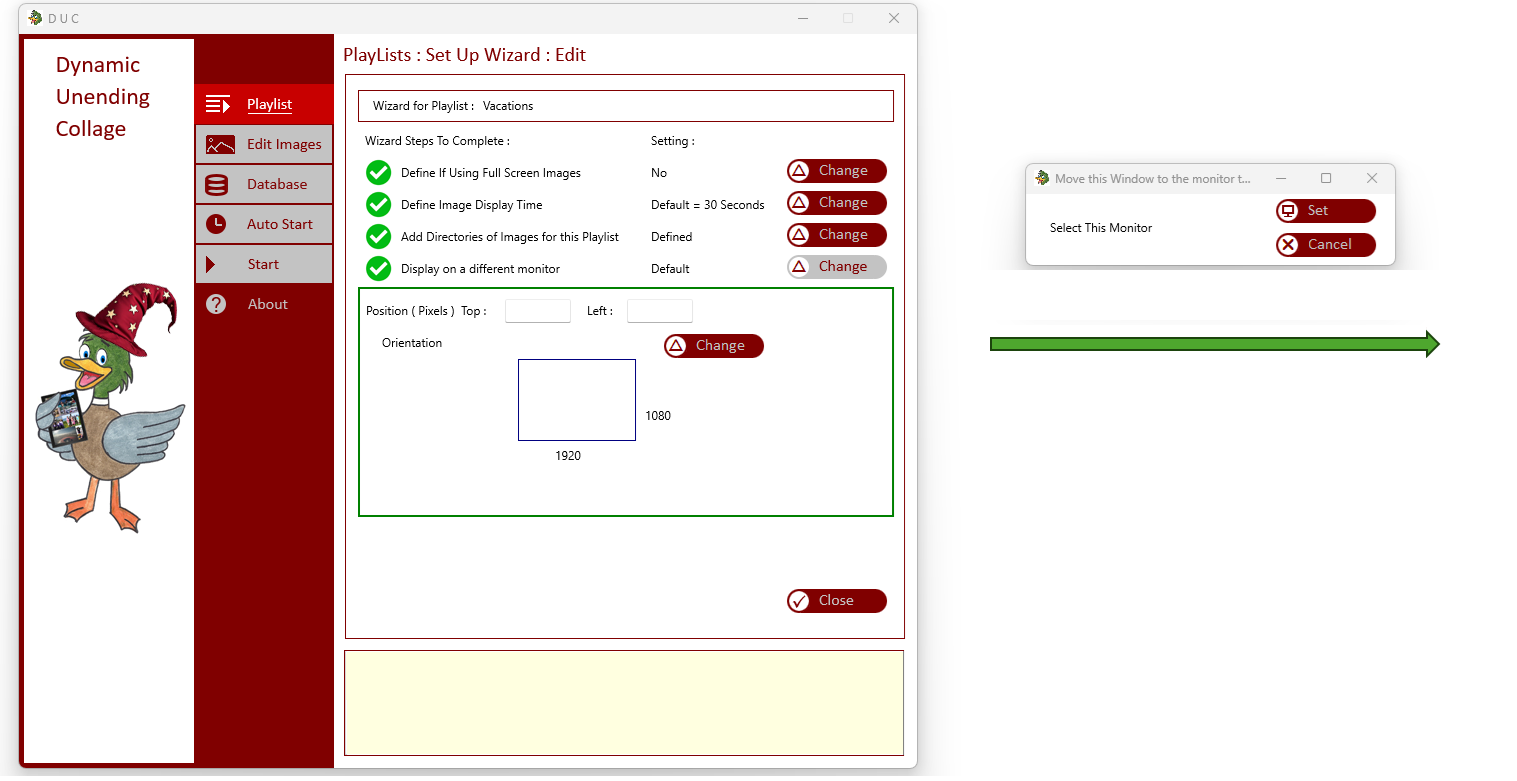
This example - The image is reduced for viewing
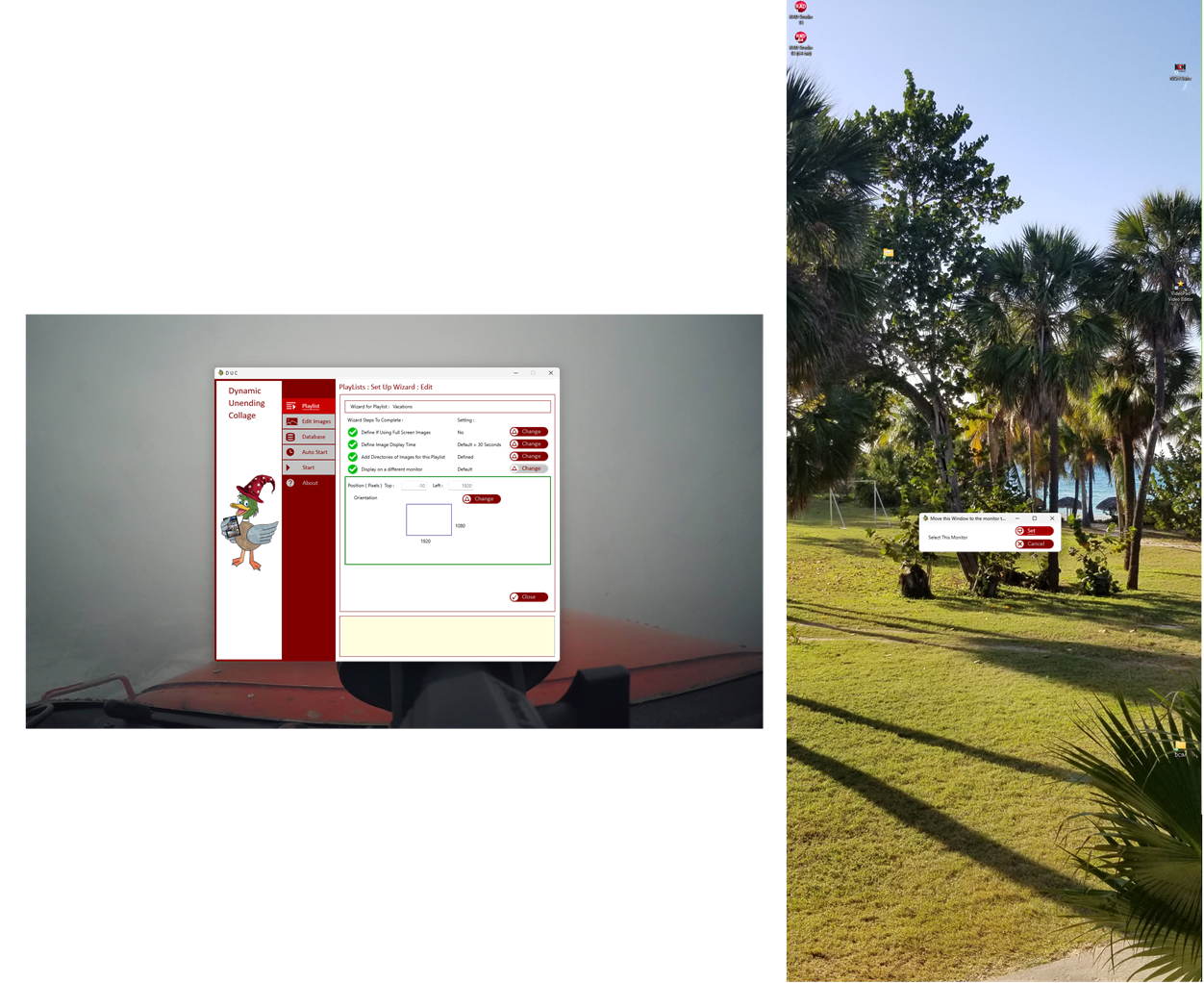
This example - The image is reduced for viewing

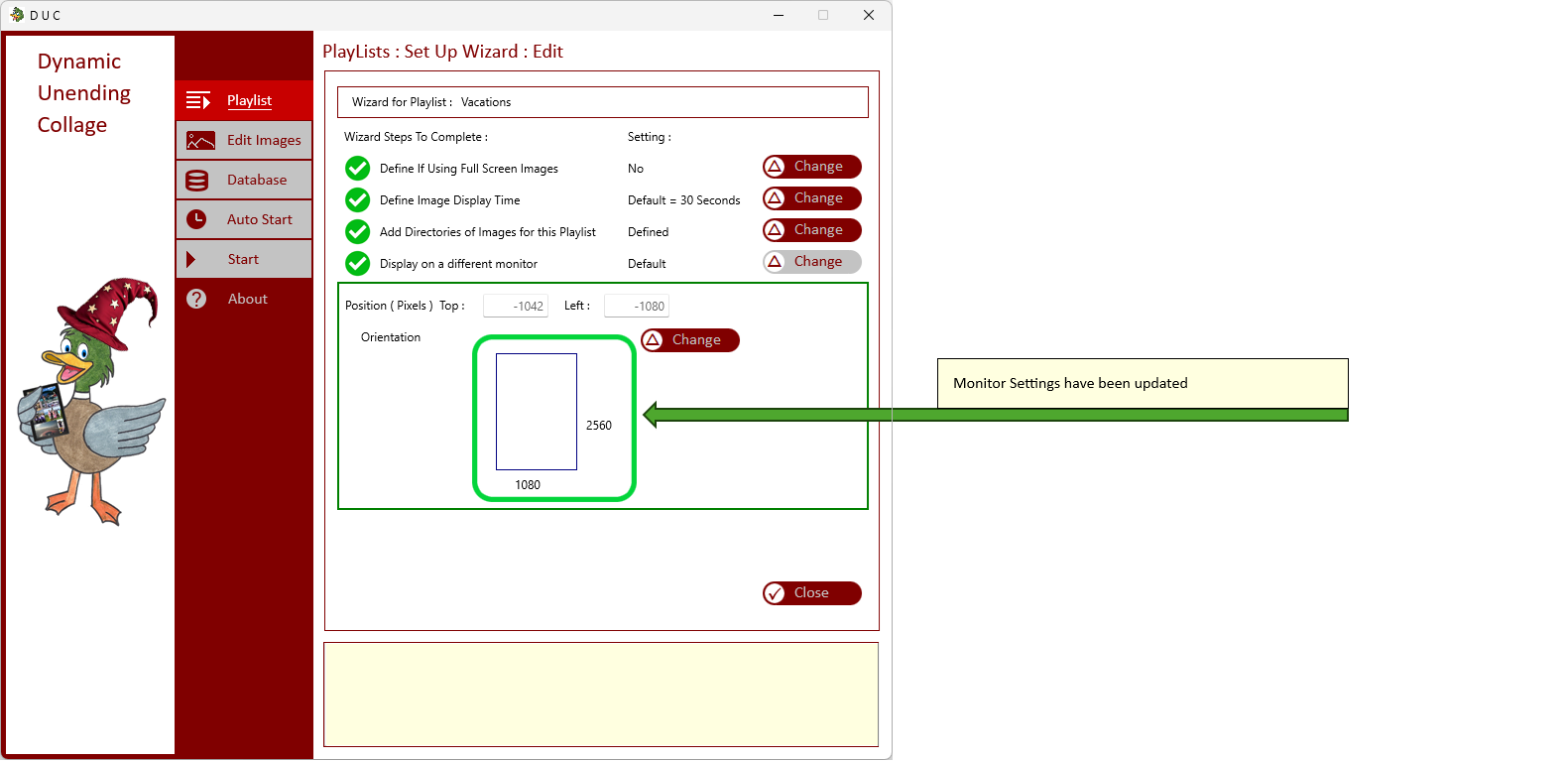
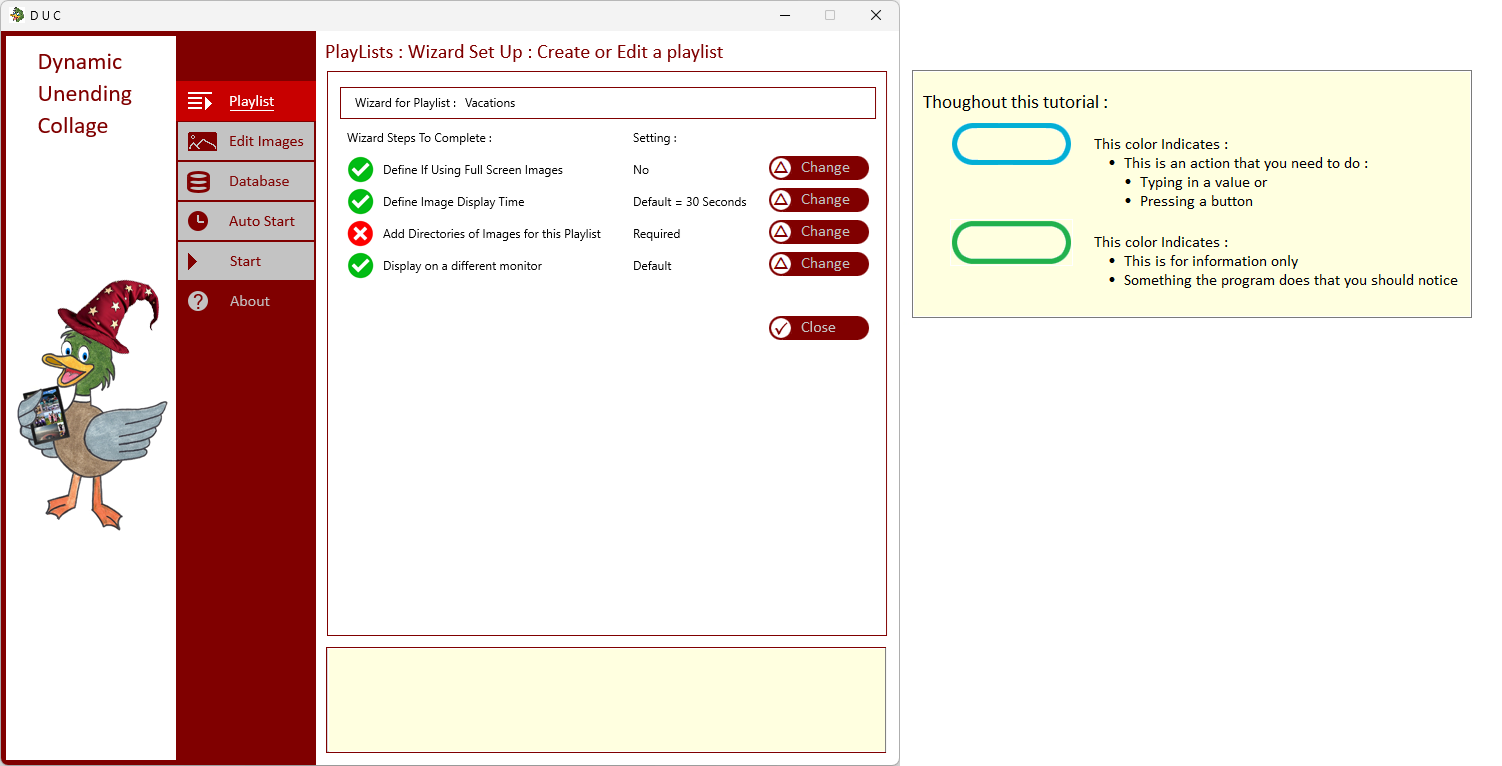
| At the Wizared Module : | |
|
| |
| Press the Change Button to modify display the DUC on another Screen, or your large TV hooked up to your computer | |
|
| |
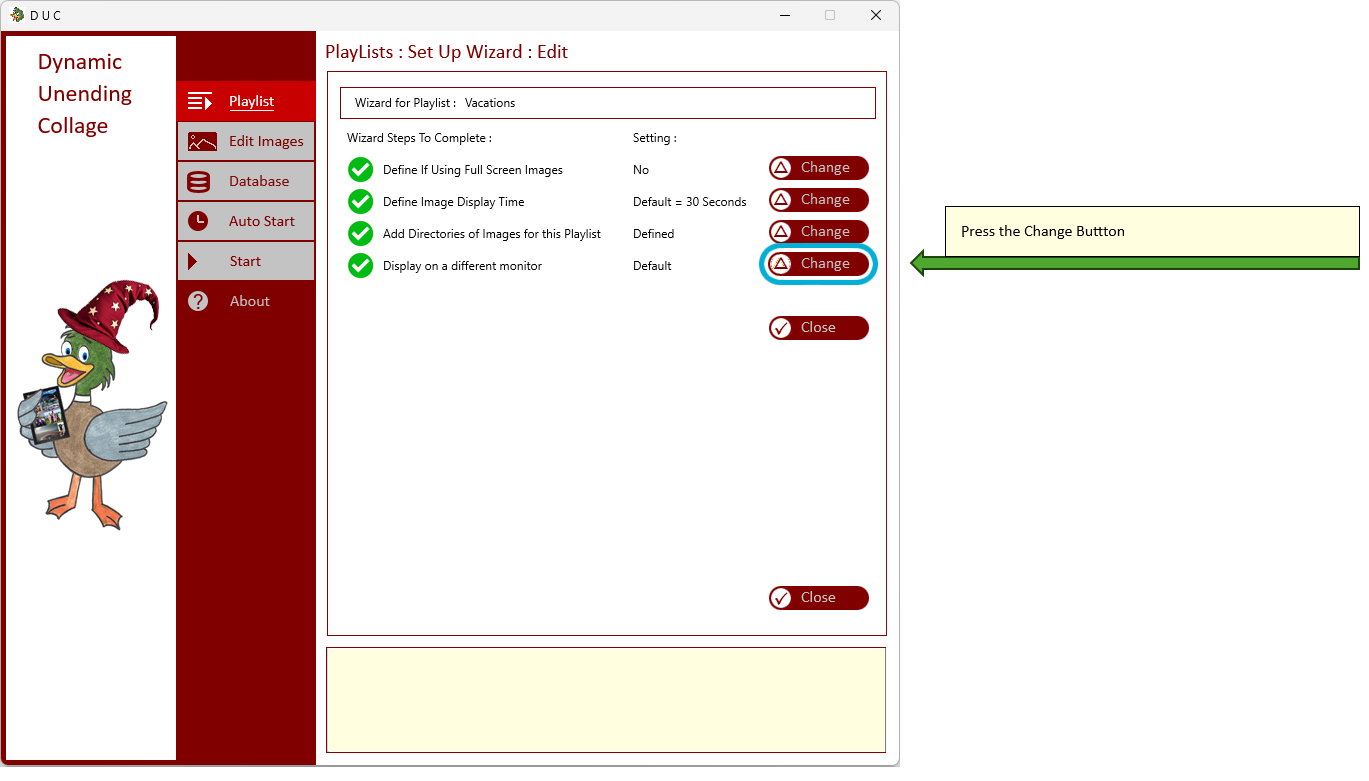
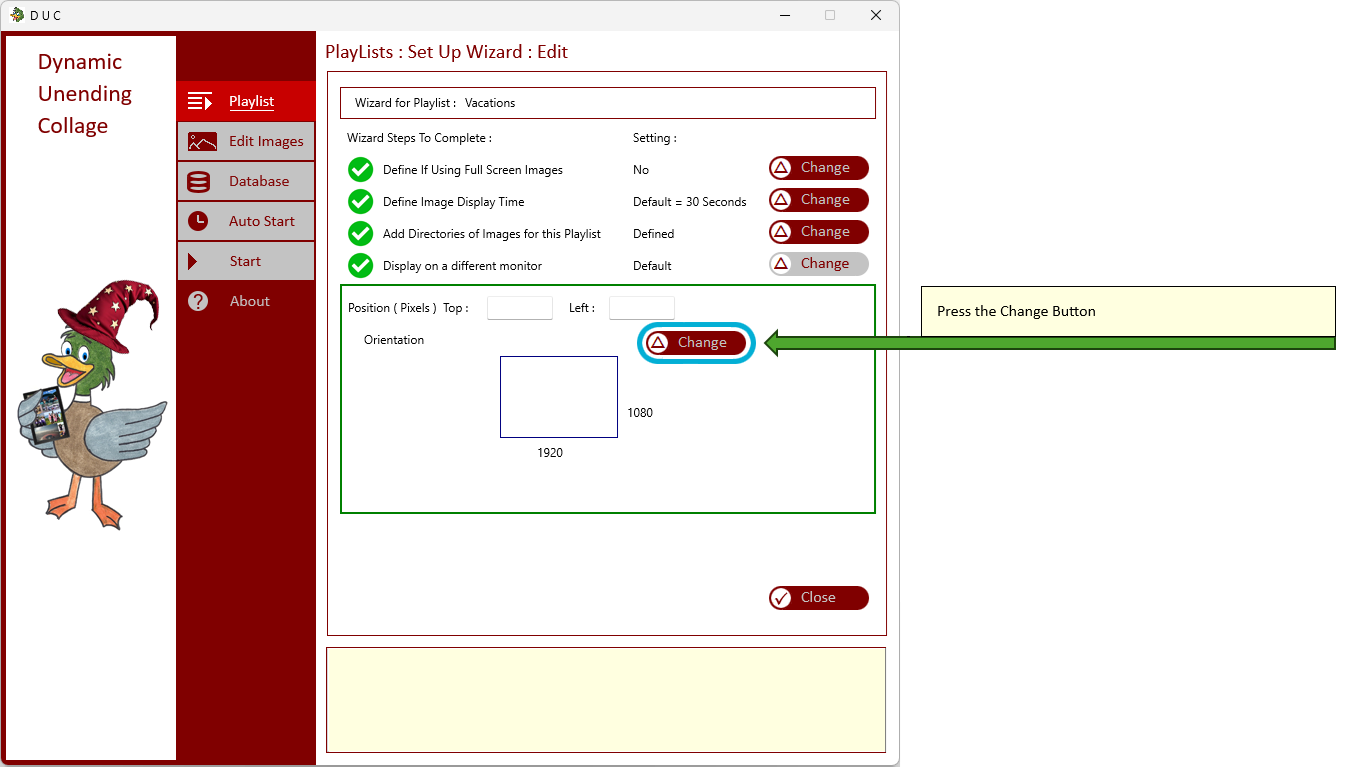
| Press the Change Button | |
|
| |
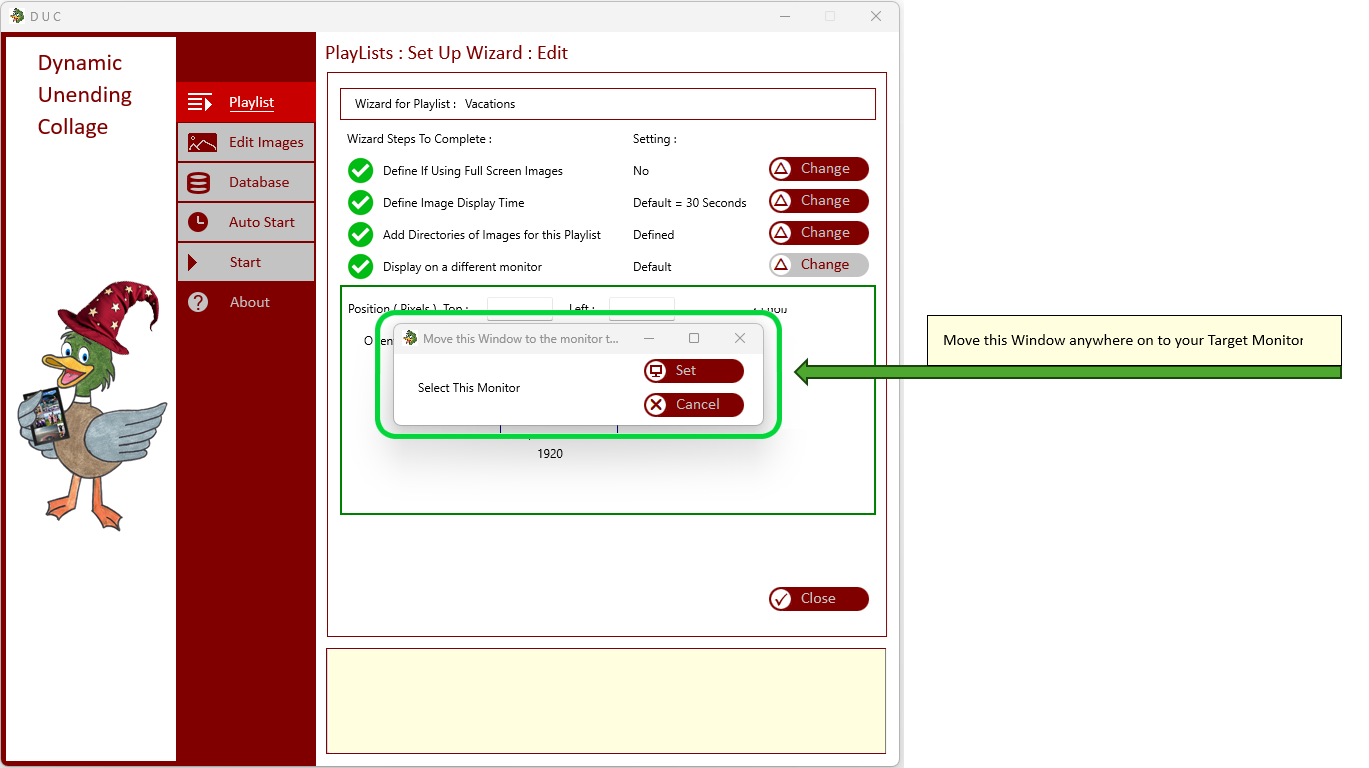
| A new Window appears : Move this across to your Target monitor | |
|
| |
| Drage this window to your target monitor | |
|
| |
|
Press the Select Button while over your target monitor
This example - The image is reduced for viewing |
|
|
| |
|
Press the Set Button while over your target monitor
This example - The image is reduced for viewing |
|
|
| |
| Settings have been modified | |
|
|