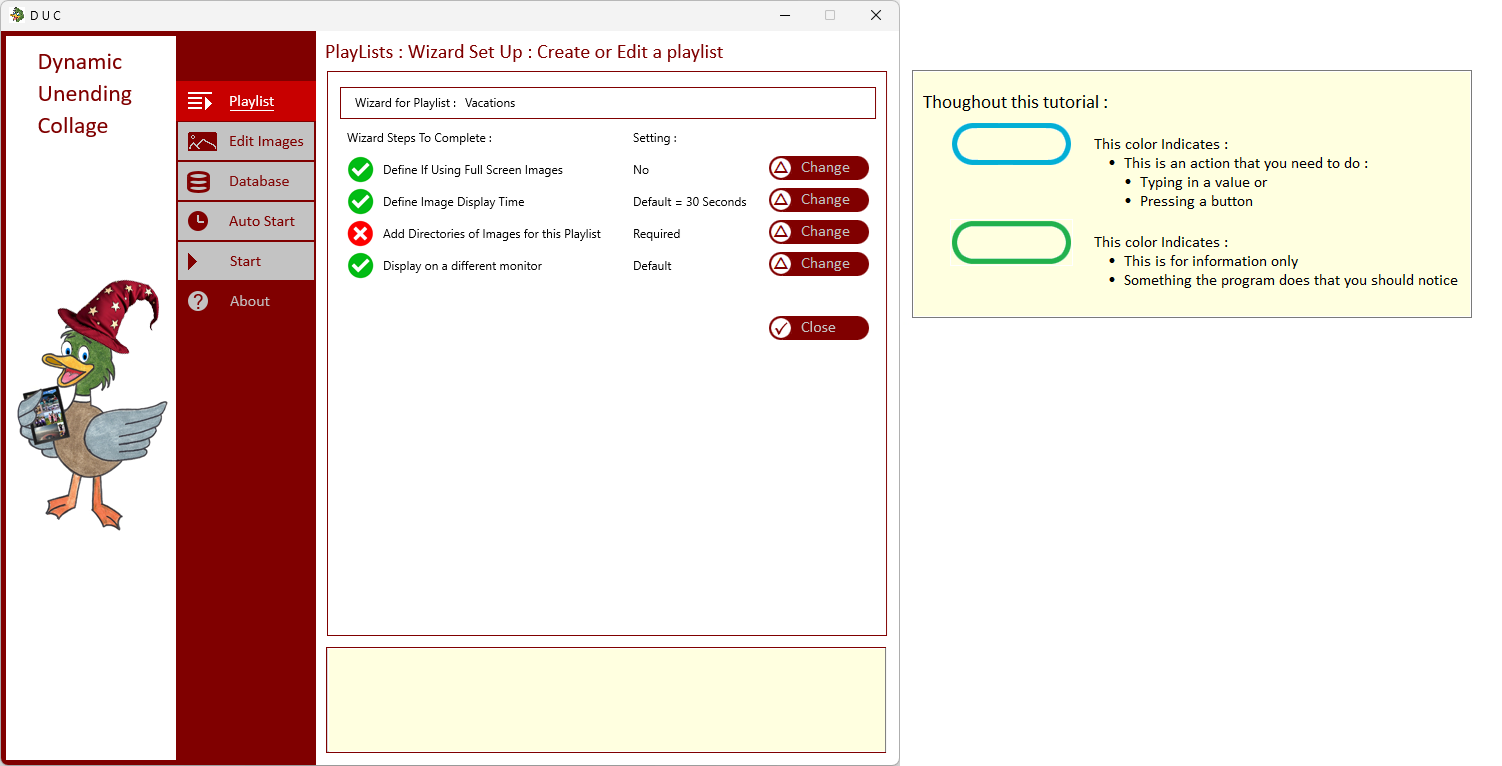
This procedure applies to both : the Regular Collage Images AND the Full Screen Images
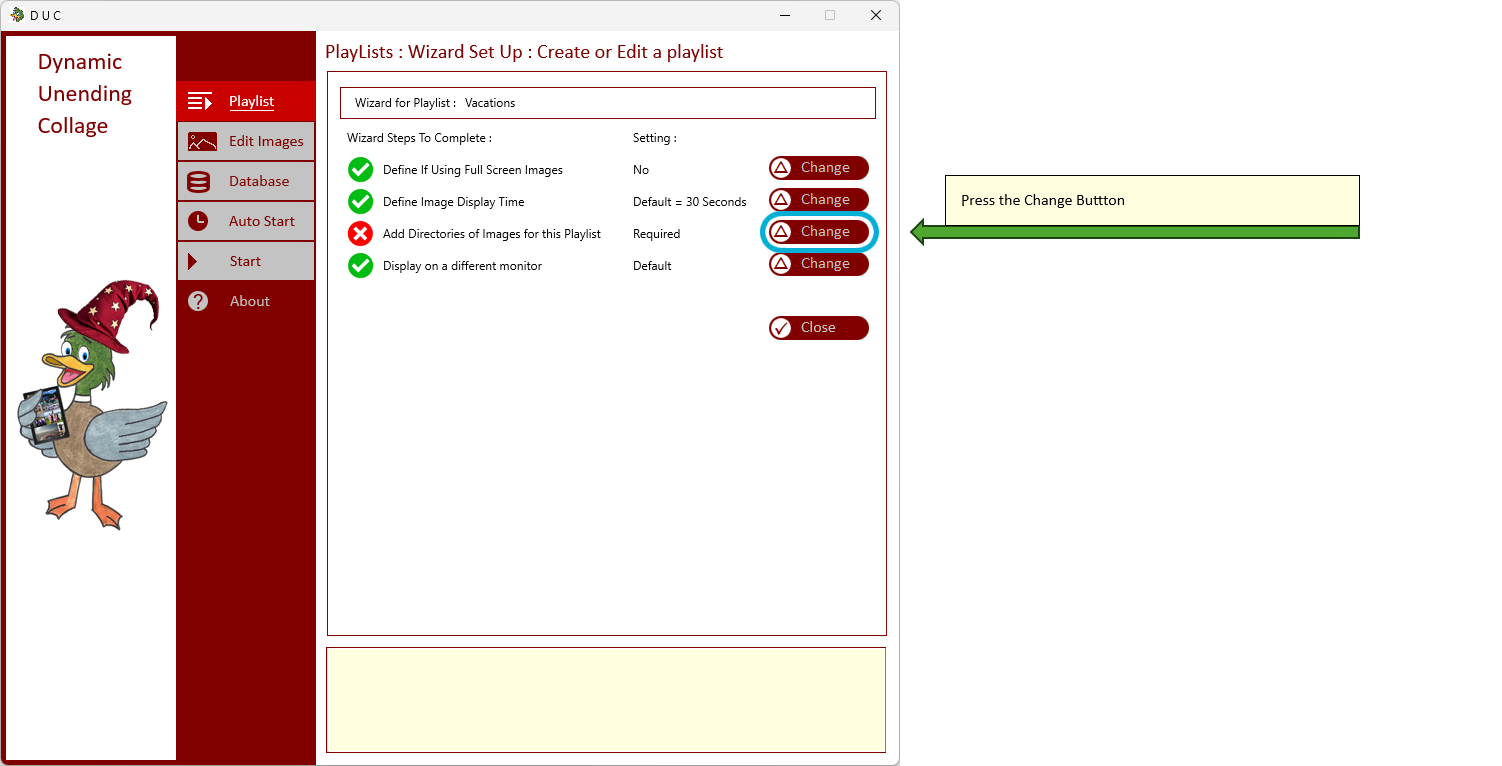
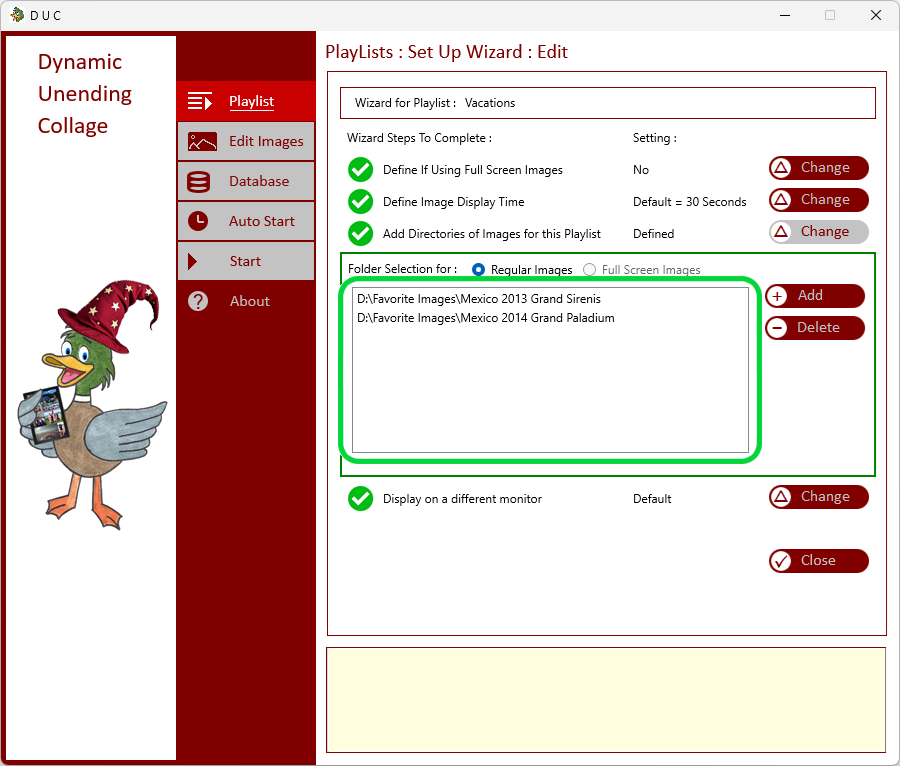
| At the Wizard Mode ( by either Adding a new Playlist or Modifying a Playlist | |
|
| |
|
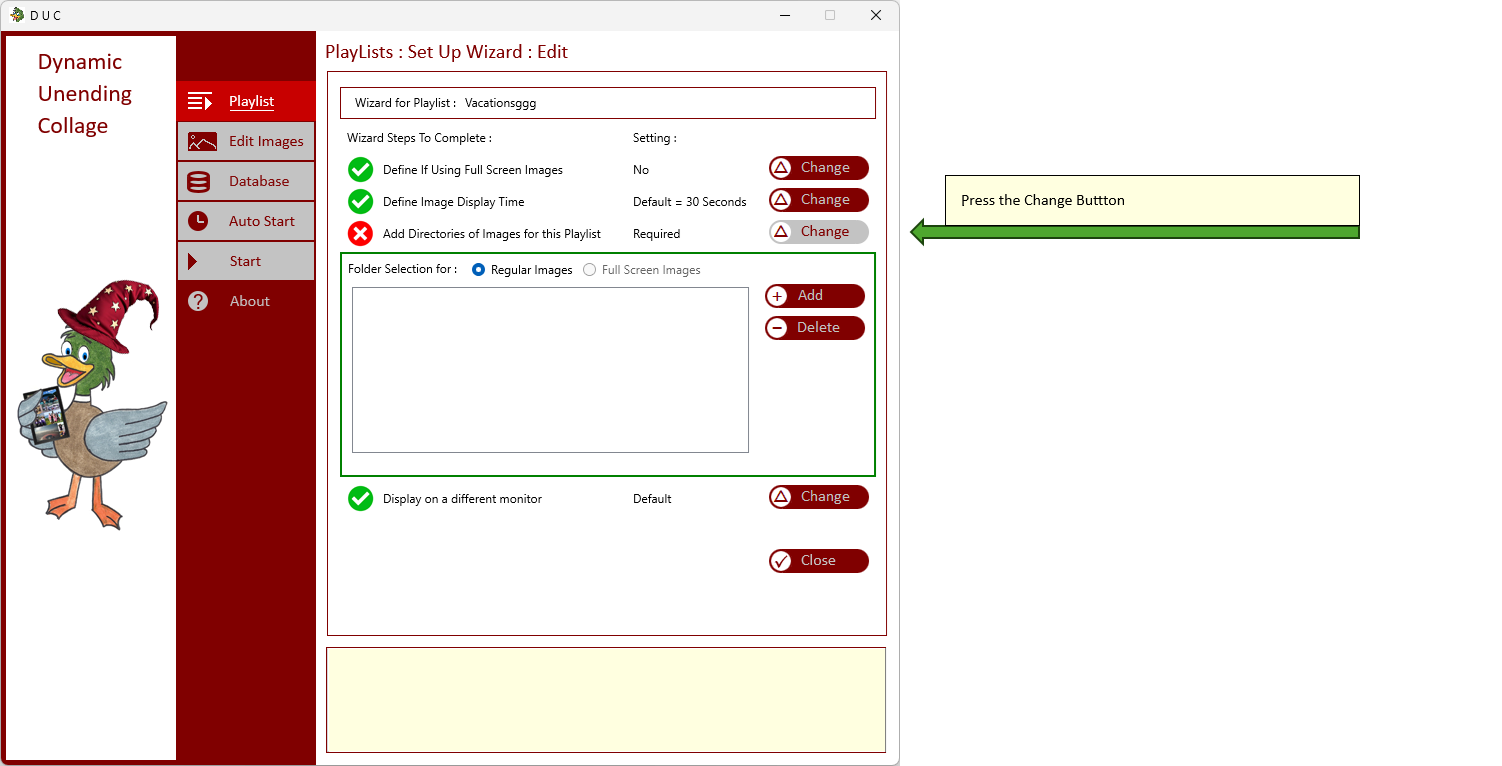
Press the Change Button to Add or Remove Directories of Images to the Playlist
This procedure applies to both : the Regular Collage Images AND the Full Screen Images |
|
|
| |
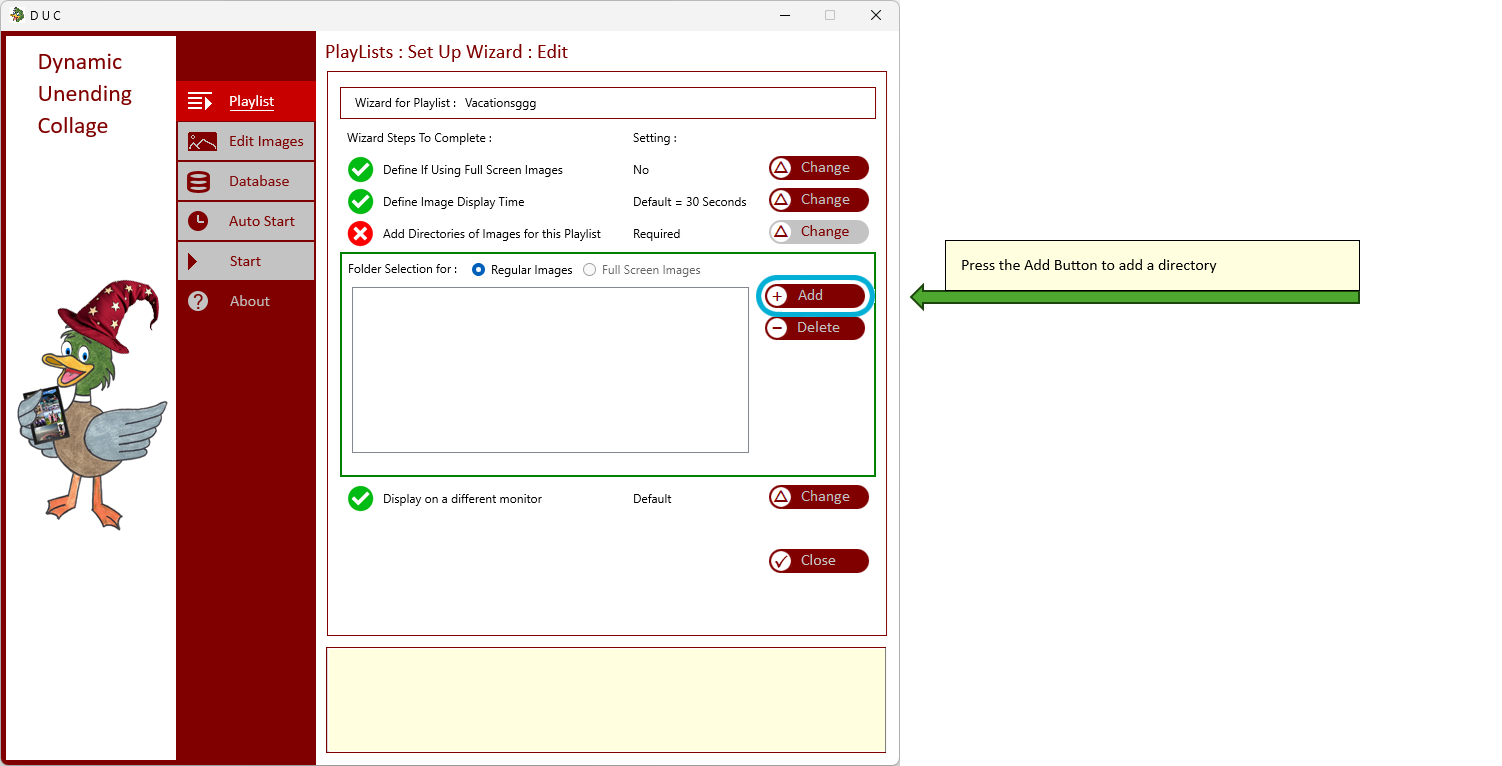
| This is where you can add or delete Directories of Images from the Playlist | |
|
| |
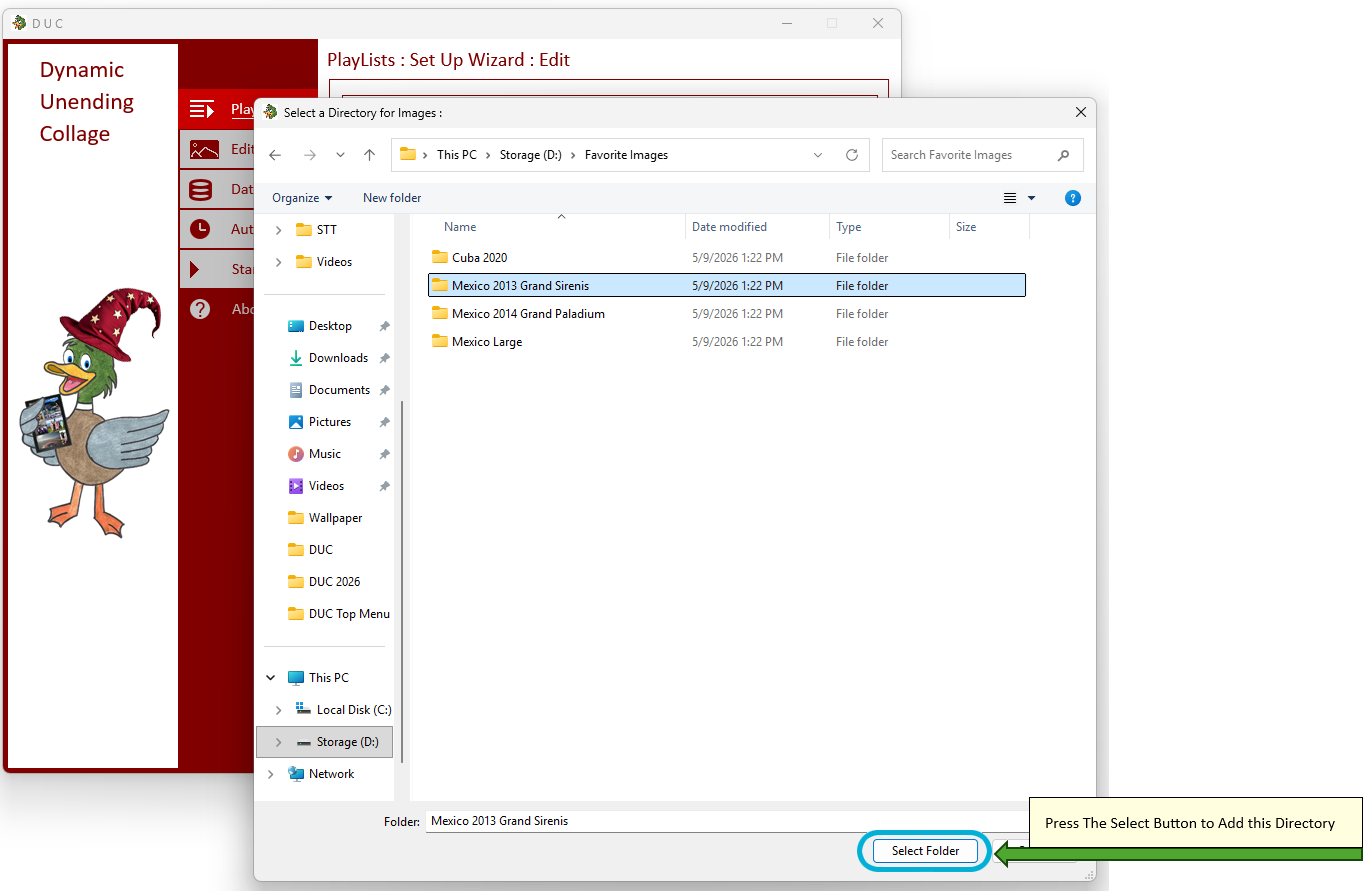
| Press Add to open the Windows Directory Selection | |
|
| |
| Choose your Directory | |
|
| |
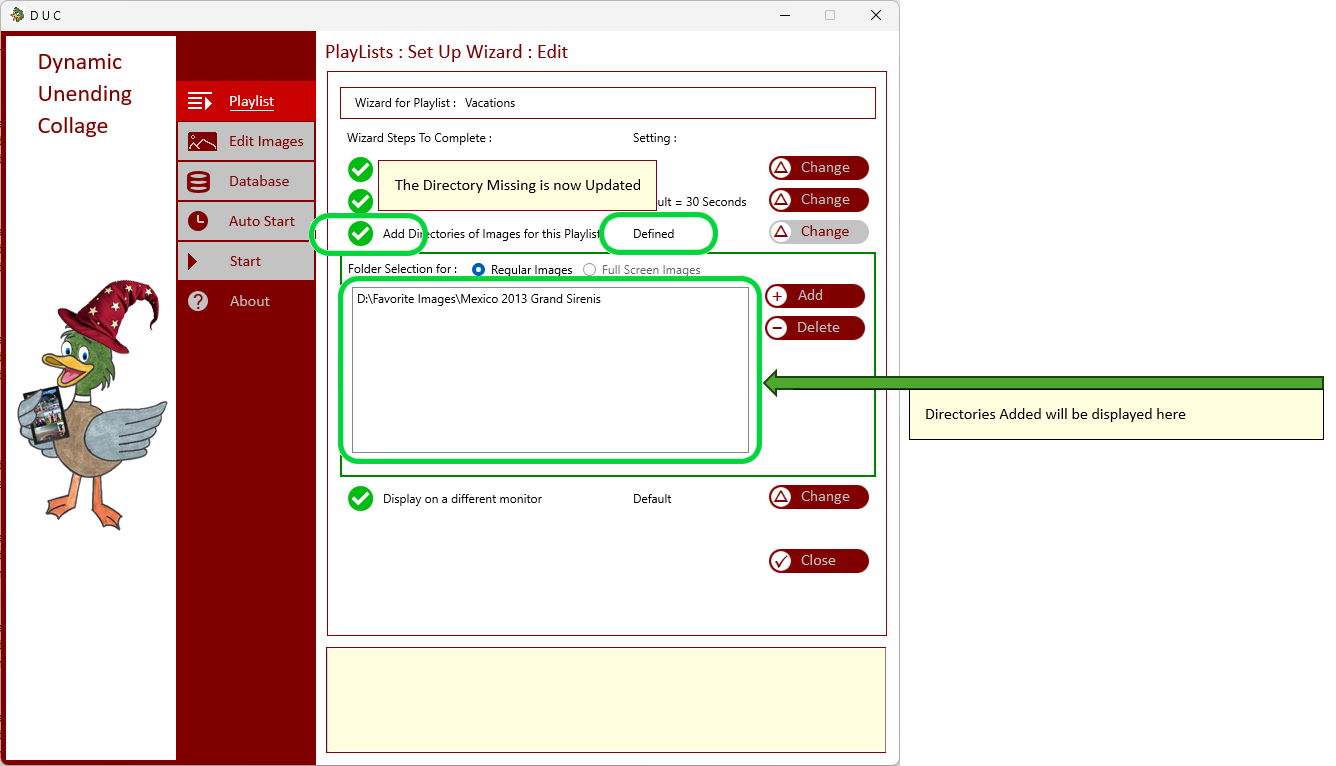
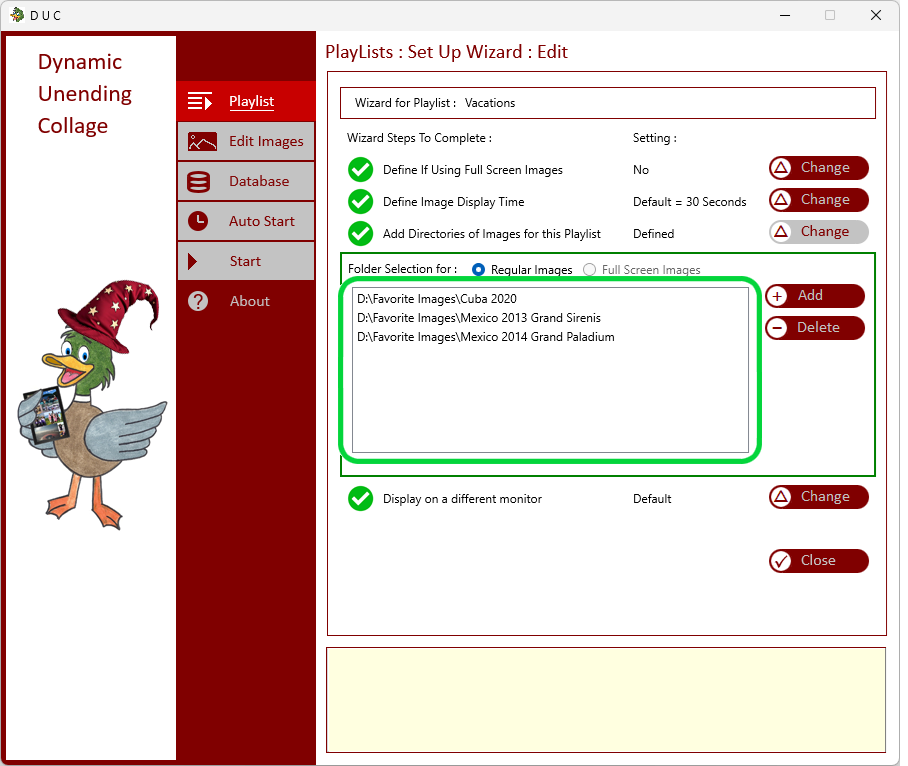
| Directories will be added to the list | |
|
| |
| Continue to add all directories of your Playlist | |
|
| |
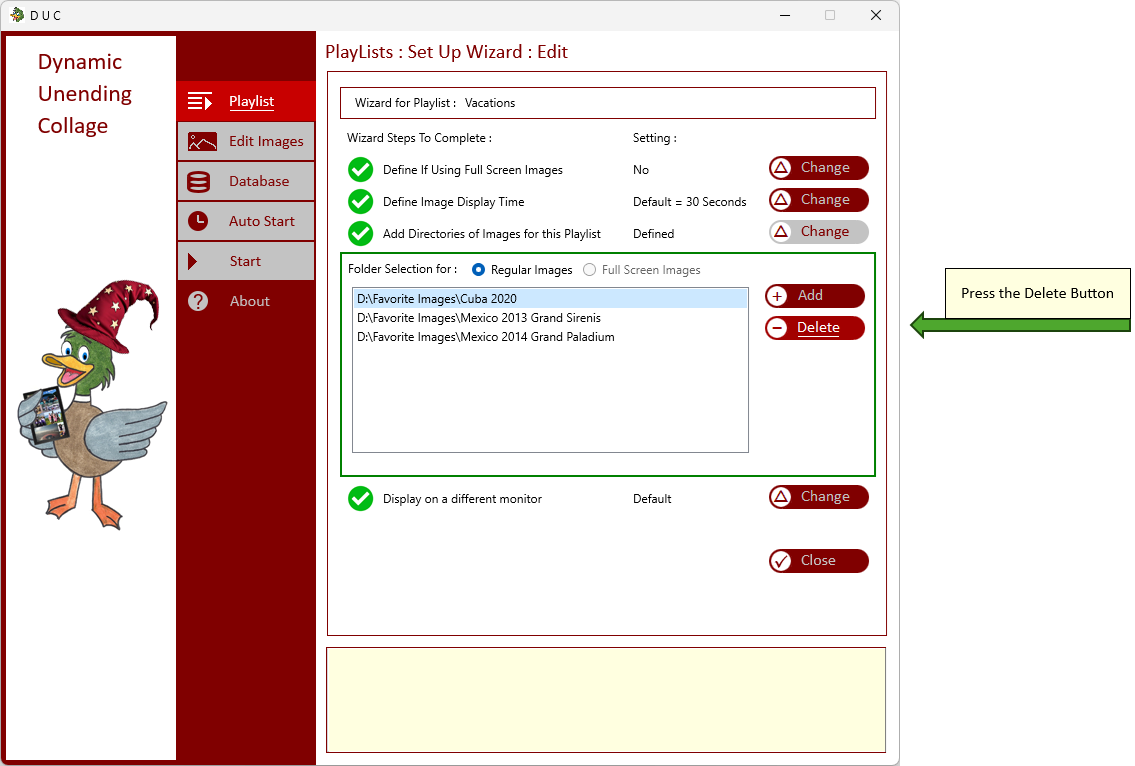
| If you want to delete a directory from the playlist, select the Directory to delete and press the Delete Button | |
|
| |
| The Directory will be removed from the Playlist | |
|
| |