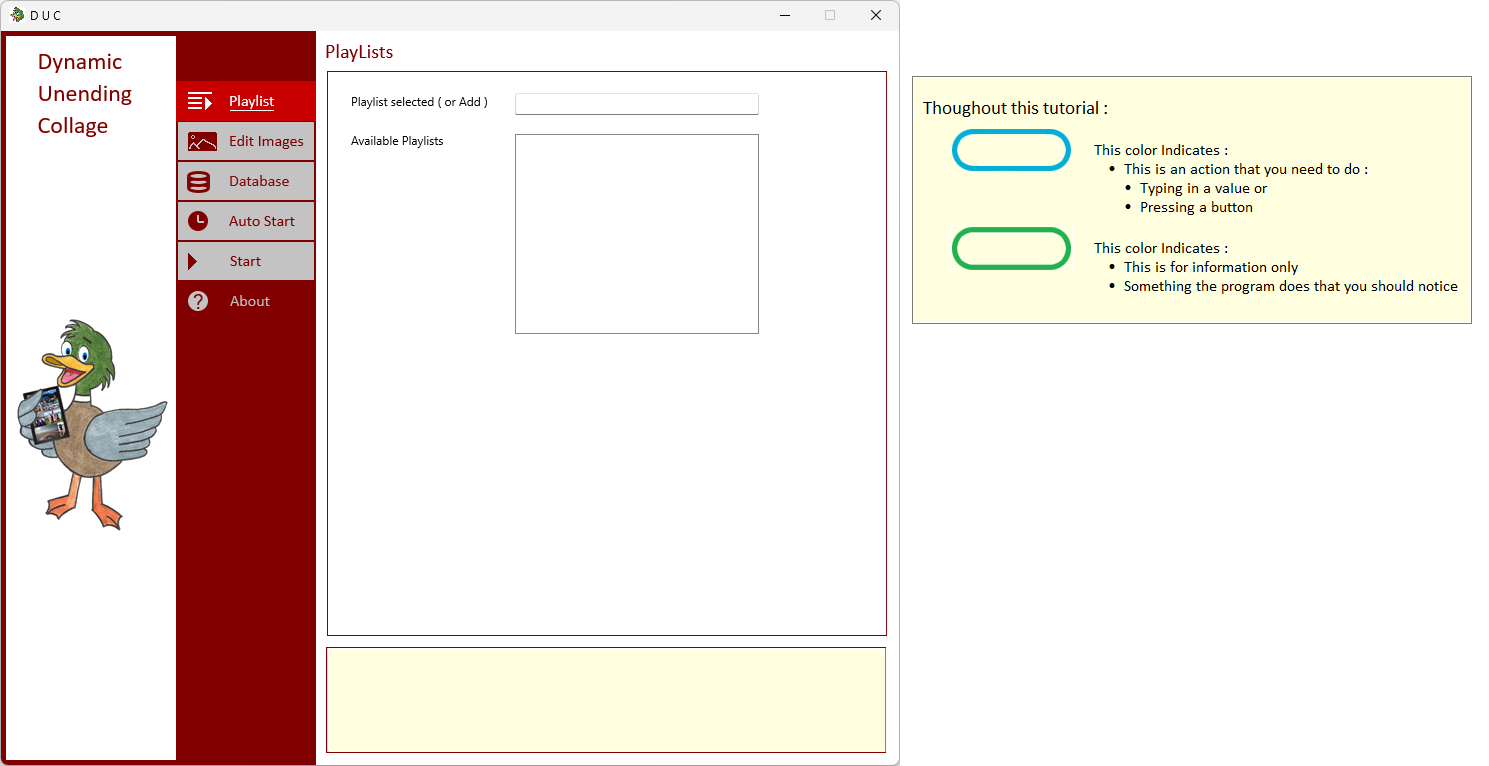
| Starting the DUC Application for the first time - the initial screen will look like : | |
|
| |
| Notice the Playlist Button is Selected ( Playlist will refer to your collections of images ) | |
| You can return to Playlist later to Add / Delete or Modify | |
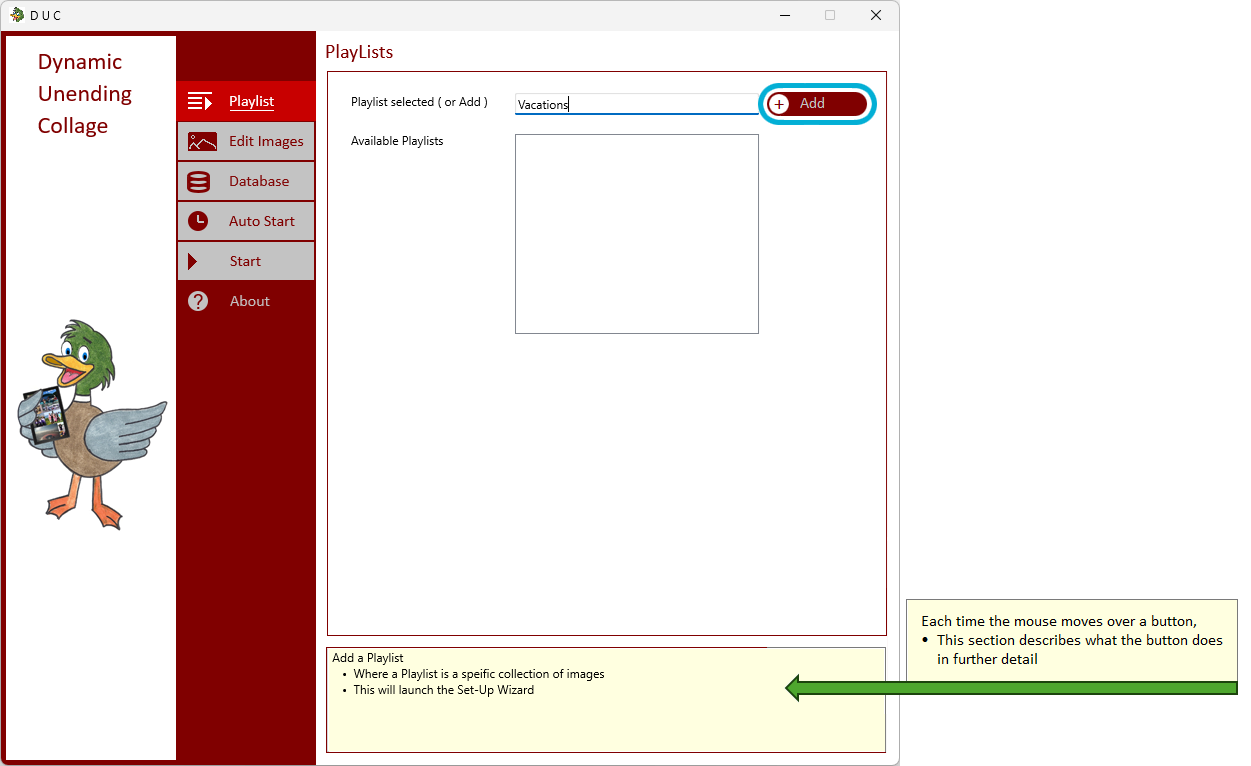
| Type your playlist into the Theme EditBox to Create One | |
| If it is unuque - not already in the list below - you will have the option of adding the playlist | |
|
| |
| Press the Add Button to add this and save to the list of Playlists | |
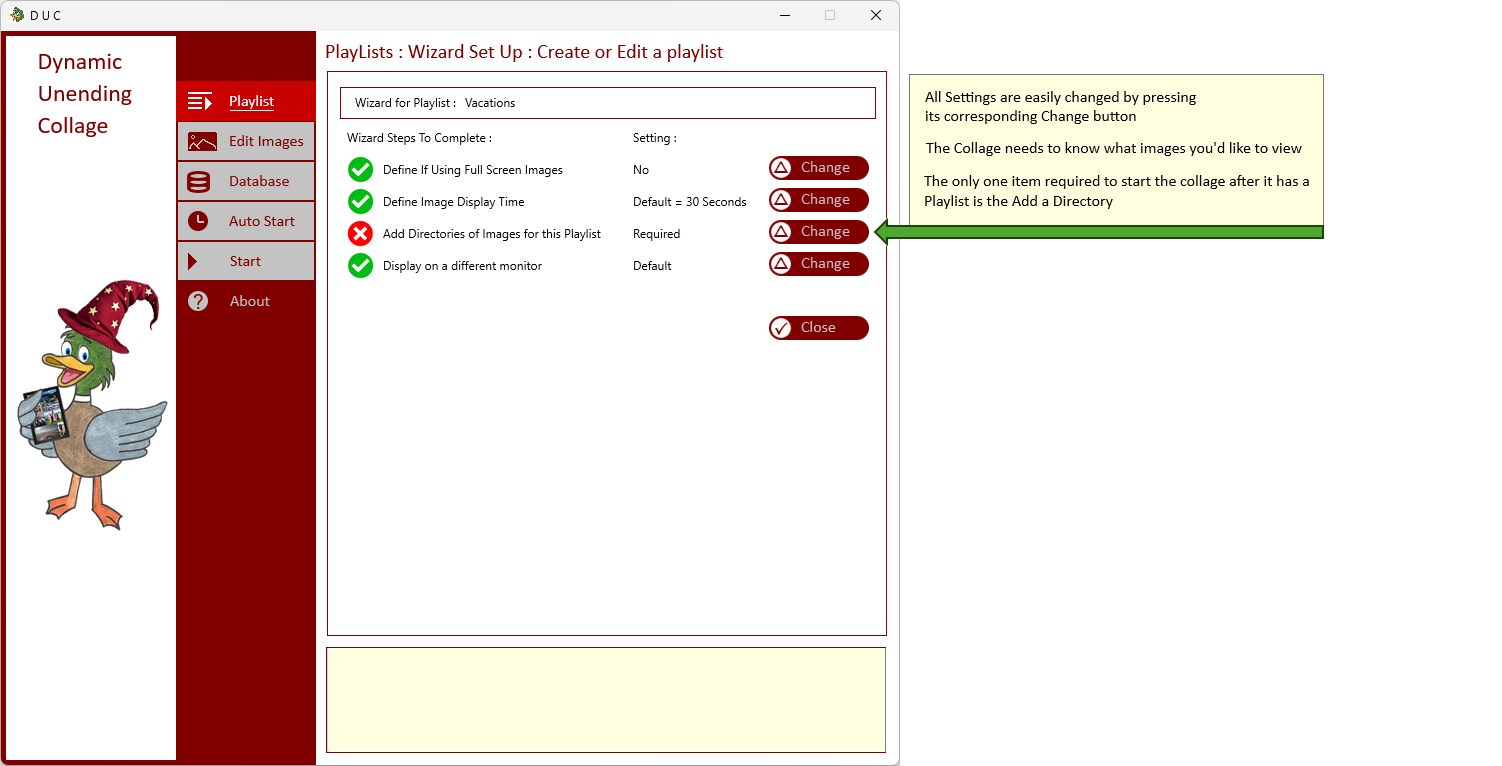
| The Set Up Wizard will now Appear | |
|
| |